

Stop adapting workouts to your home gym. Let AI build one that actually fits.
In under 1 minute, get a workout you can do right away — with your equipment, your weights, and your available time.
Free version forever. Upgrade only if you choose to.
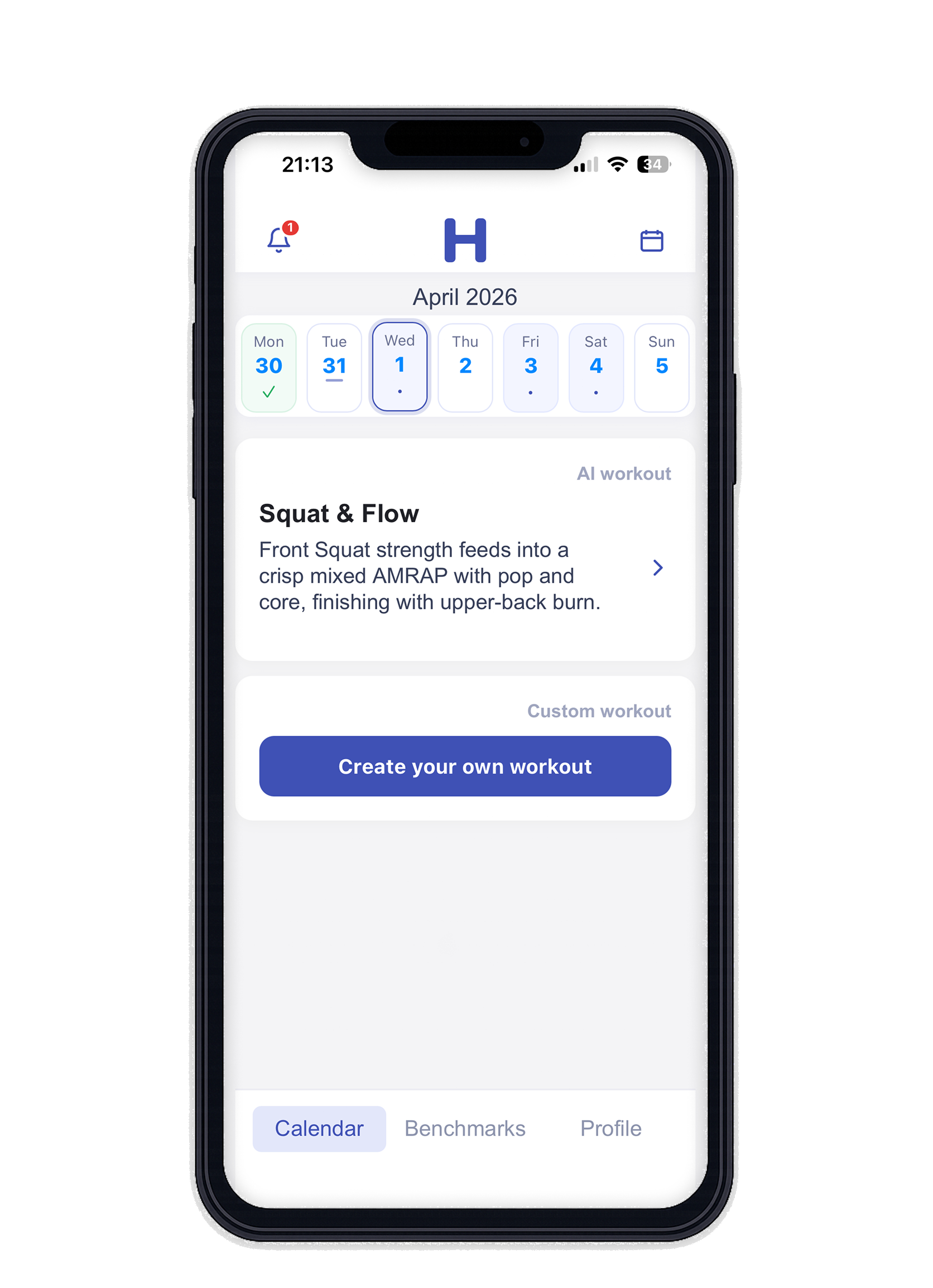
Who is HomeWOD for?
You train at home
With your own equipment, space, and available weights.
You do not want to adapt workouts
No more rebuilding WODs because you do not have something at home.
You want structure without thinking
A logical weekly plan that fits your days and training time.
You want to track progress
Log scores, benchmarks, and PRs in the same place as your workouts.
AI workouts that actually fit your home gym
AI workouts tailored to you
Enter your equipment. HomeWOD creates workouts you can do at home right away.
Equipment-based programming
Not a generic gym program. Your dumbbells, kettlebells, barbell, and cardio machines are taken into account.
Fits your available time
Choose 20, 30, 45, or 60 minutes. The workout is built around that window.
Track scores and PRs
Log your results and see benchmarks, workouts, and progress over time.
Add your own WODs
Save your favorite workouts alongside your generated plan.
Receive coach workouts
Let your coach send workouts to you and train them in the same app.
Video explanation directly from your workout
Tap a movement and open instructions right away. Less searching, faster training.
See what a workout looks like first
A generated workout is ready to train: warm-up, strength or skill, conditioning, and clear movements based on your equipment.
- No account needed to view this example
- Built for a home gym setup
- After that, you can enter your own equipment
How it works
- Enter your home gym setup. Dumbbells, kettlebells, barbell, plates, rower, and your available weights.
- Add your benchmarks. For example a 1RM or xRM. HomeWOD converts percentages into clear working weights.
- Choose your training days and session length. 20, 30, 45, or 60 minutes.
- Get a new plan every week automatically. Your weekly plan fits your days, time, and equipment.
- Log your scores and track your progress. Benchmarks, personal WODs, and coach workouts are all tracked.
Why athletes stick with HomeWOD
"I want to train, not plan. And definitely not adjust every workout manually to fit what I have at home. I built HomeWOD for myself and for everyone who recognises that feeling."
Free to use — upgrade whenever you want
No credit card. No trial period. Just a free account.
- Automatically generated weekly training plan
- Add your own workouts
- AI workout generator (refresh once per day)
- Score tracking & progress logging
- CrossFit benchmark registration
- Receive workouts from your coach
- Your equipment and weights are respected
- Everything in Free, plus:
- Always the latest and most powerful AI version
- No ads
- Unlimited workout regeneration*
- Unlimited weekly plan regeneration after equipment changes*
- Invite clients as a coach
Your subscription does not start automatically. You choose when to upgrade.
* Subject to fair use.
FAQ
Is HomeWOD really free?
Yes, forever. No trial period, no credit card, no catch. You can use the app for free and will occasionally see an ad. Prefer not to? Upgrade to Pro for €4.99/month.
What is the difference between Free and Pro?
With the free plan, you can generate workouts, follow your weekly plan, track scores, and add your own workouts. With Pro, you remove ads, regenerate workouts and your weekly plan without limits, and invite clients as a coach.
Can my coach send me workouts?
Yes. A coach can schedule and send workouts directly to you through HomeWOD. You train in the app, your coach keeps the overview. This coach feature is available with HomeWOD Pro.
Can I add my own workouts?
Yes. You can add your own WODs to your library and train them whenever you want, alongside or separate from your automatically generated weekly plan.
Does HomeWOD take injuries into account?
Yes. In your profile, you can note injuries or physical limitations. HomeWOD tries to take these into account conservatively.
What if I have very little equipment?
In that case, HomeWOD builds your workouts with bodyweight and whatever equipment you do have, aiming for as much variation as possible.
Who is HomeWOD for?
For people who train at home and want workouts that fit their own equipment, time, and weights.
Can I see how a movement should be performed?
Yes. Click any movement in your workout and a video with clear instruction opens immediately. No need to search — just train with the right technique.
Can I generate an extra workout outside my weekly plan?
Yes. In the app, choose "New workout" and select your duration (20/30/45/60 min). You will get a fitting session right away.
Is there an iOS app?
Yes. HomeWOD is available on the App Store. Download the app on your iPhone and train anytime, anywhere with your full plan at hand.
